

Learn how to prototype website pages using AI workflows and manual editing tools in Siteplay.ai.
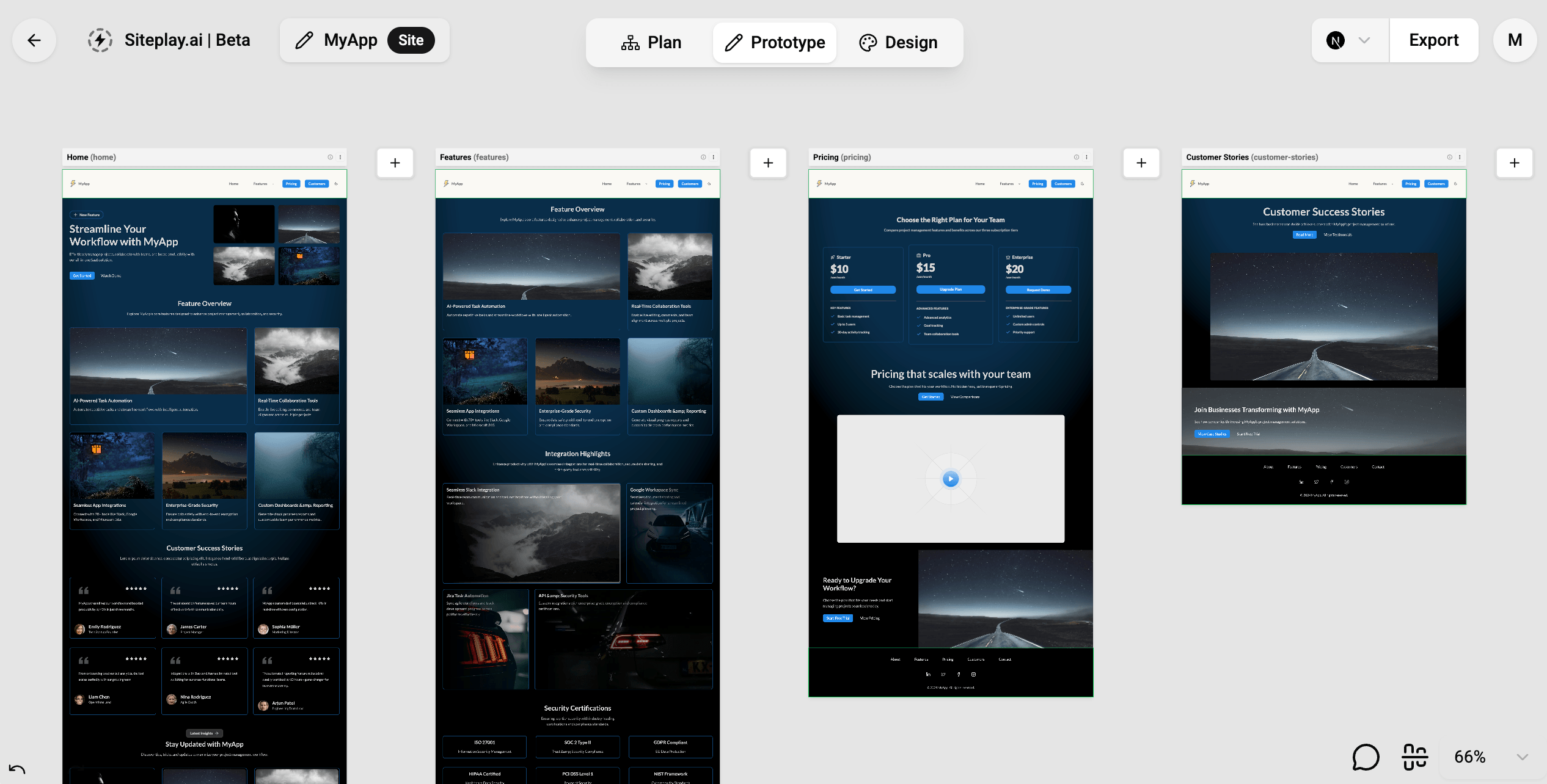
The prototype workflow in Siteplay.ai helps you quickly create and structure page content before moving into final design and development.
This stage focuses on:
- Building page layouts
- Generating sections
- Organizing content
- Editing website structure
- Experimenting with layouts rapidly
Siteplay.ai supports two major prototyping workflows:
- Prototyping With AI
- Prototyping Manually
Both workflows can be combined together depending on how much speed or control you need.
Prototyping With AI
Section titled “Prototyping With AI”AI prototyping helps you instantly generate website pages and sections using prompts.
Instead of manually building layouts from scratch, you can describe what you want and let Siteplay.ai generate the structure automatically.
Generate Pages
Section titled “Generate Pages”You can enter a single page prompt and generate all sections for that page in one shot.
For example:
Create a modern SaaS landing page for an AI website builderwith hero, features, integrations, testimonials, pricing, FAQ,and CTA sections.Siteplay.ai will automatically generate:
- Page structure
- Relevant sections
- Content hierarchy
- Headlines
- Supporting text
- Calls-to-action
This workflow is useful for quickly creating:
- Landing pages
- Startup websites
- Marketing pages
- MVP prototypes
- Client drafts
Generate Sections
Section titled “Generate Sections”You can also generate sections one-by-one using focused prompts.
For example:
Create a testimonials section with 6 testimonial itemsOr:
Create a pricing section with 3 pricing tiers free($0),pro($20)& elite($100) monthly for a SaaS analytics product.This workflow is useful when you want more control over individual sections while still leveraging AI for speed.
You can mix AI-generated sections with manually created sections at any time.
Why Use AI Prototyping?
Section titled “Why Use AI Prototyping?”AI prototyping is ideal when you want to:
- Quickly test ideas
- Generate multiple layouts
- Create MVPs faster
- Reduce repetitive content creation
- Experiment with page structures
- Build client prototypes rapidly
It significantly reduces the time required to create initial page drafts.
Prototyping Manually
Section titled “Prototyping Manually”For users who want complete control over their page layouts and content, Siteplay.ai also provides powerful manual editing tools.
You can manually:
- Add sections
- Edit sections
- Delete sections
- Reorder sections
- Customize layouts
- Manage section content
This workflow is perfect for refining AI-generated pages or building highly customized experiences from scratch.
Add, Edit & Delete Sections
Section titled “Add, Edit & Delete Sections”You can insert sections anywhere within a page and fully control the page structure.
Sections can be:
- Added dynamically
- Removed instantly
- Duplicated
- Reordered with drag-and-drop
This allows you to rapidly iterate on layouts and content organization.
Edit Content Inline
Section titled “Edit Content Inline”Every section in Siteplay.ai supports inline editing.
You can directly edit any visual text in the website preview:
- Headlines
- Descriptions
- Buttons
- Lists
- Feature items
- Pricing cards
- FAQ content
This creates a fast editing workflow without constantly switching between settings panels and previews.
Enable/Disable Section Fields
Section titled “Enable/Disable Section Fields”Siteplay.ai allows granular control over section fields.
You can enable or disable:
- Buttons
- Labels
- Badges
- Icons
- Images
- Descriptions
- titles
- Secondary content blocks
- etc
This helps you simplify or expand sections depending on your design requirements.
Upload & Reuse Images
Section titled “Upload & Reuse Images”You can upload custom images directly into sections.
Siteplay.ai also provides a Recent Uploads Library dialog where you can quickly reuse previously uploaded images across multiple pages and sections in the current site.
This helps maintain consistency and reuse images and speeds up content creation workflows.
Best Workflows
Section titled “Best Workflows”Most users combine AI generation with manual editing to seed up thier website creation in controlled manner.
A common workflow looks like this:
- Generate pages with AI
- Generate sections with AI
- Rearrange layouts manually
- Edit content inline
- Upload image and assets
- Refine sections visually
This approach gives you both:
- The speed of AI
- The precision of manual editing
Whether you prefer:
- Fully AI-generated pages
- AI-assisted section generation
- Manual layout control
- Visual inline editing
Siteplay.ai provides a flexible workflow for fast modern website prototyping.